Find my Lost Device - AirFind1.0.6
Publisher Description


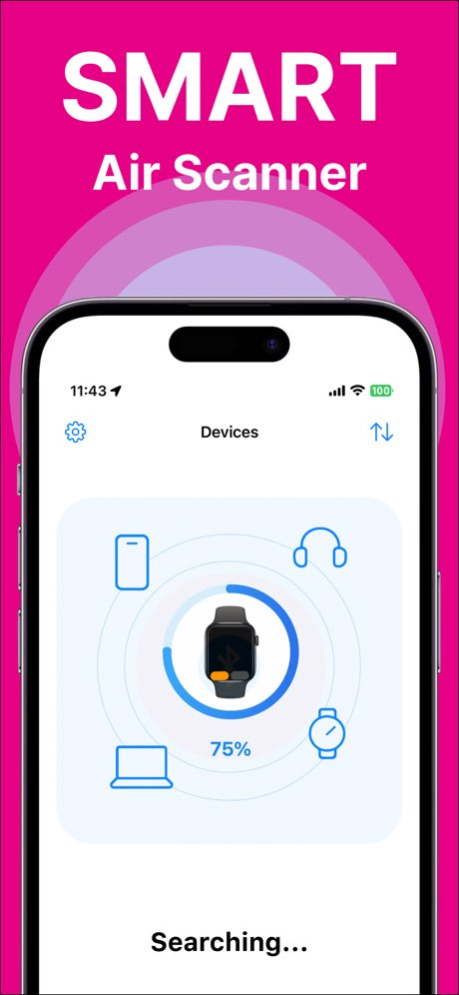
Find your lost Bluetooth devices in seconds - especially AirPods!
Lost your AirPods or another Bluetooth device? This app helps you locate it quickly and easily.
View the last known location of your device on a map and track its movement over time with automatic location history.
The standout feature is the real-time Device Tracker - a radar-like signal strength meter that shows how close you are to your device and guides you with precision.
You’ll even see an estimated distance in meters to help you get there faster.
Key features:
. Locate lost Bluetooth devices (like AirPods, headphones, fitness trackers, etc.)
. See your device’s location on the map
. Track location history automatically
. Use the signal strength meter to find your device step by step
. Get estimated distance in meters
Stop wasting time searching - find your devices with confidence.
Device Trakcer Premium
Upgrade to the Premium version and unlock devices, no limits, no advertising!
* Choose subscription options. Our standard subscription options are:
1-week Subscription
* Subscription payments will be charged to your iTunes account at confirmation of your purchase and upon commencement of each renewal term. Subscription with a free trial period will automatically renew to a paid subscription. You can cancel your subscription or free trial in the iTunes settings at least 24-hours before the end of the free trial period. The cancellation will take effect the day after the last day of the current subscription period and you will be downgraded to the free service.
Privacy policy: https://sites.google.com/view/device-tracker-conditions/privacy-policy
Terms of use: https://sites.google.com/view/device-tracker-conditions/terms-of-use
Version History Bug fix 1.0.6 Jul 7 Bug fix 1.0.5 Mar 14 Bug fix 1.0.4 Jan 14 Bug fix 1.0.3 12/10/2025 Bug fix 1.0.2 11/27/2025 Bug fix 1.0.1 06/08/2025 1.0 06/06/2025
About Find my Lost Device - AirFind
The company that develops Find my Lost Device - AirFind is Uladzislau Nasonau. The latest version released by its developer is 1.0.6.
To install Find my Lost Device - AirFind on your iOS device, just click the green Continue To App button above to start the installation process. The app is listed on our website since 2026-10-06 and was downloaded 0 times. We have already checked if the download link is safe, however for your own protection we recommend that you scan the downloaded app with your antivirus. Your antivirus may detect the Find my Lost Device - AirFind as malware if the download link is broken.
How to install Find my Lost Device - AirFind on your iOS device:
- Click on the Continue To App button on our website. This will redirect you to the App Store.
- Once the Find my Lost Device - AirFind is shown in the iTunes listing of your iOS device, you can start its download and installation. Tap on the GET button to the right of the app to start downloading it.
- If you are not logged-in the iOS appstore app, you'll be prompted for your your Apple ID and/or password.
- After Find my Lost Device - AirFind is downloaded, you'll see an INSTALL button to the right. Tap on it to start the actual installation of the iOS app.
- Once installation is finished you can tap on the OPEN button to start it. Its icon will also be added to your device home screen.
Program Details
System requirements
Download information
Pricing
Version History
version 1.0.6
posted on 2026-10-06
Version History Bug fix 1.0.6 Jul 7 Bug fix 1.0.5 Mar 14 Bug fix 1.0.4 Jan 14 Bug fix 1.0.3 12/10/2025 Bug fix 1.0.2 11/27/2025 Bug fix 1.0.1 06/08/2025 1.0 06/06/2025
version 1.0.5
posted on 2026-07-01
Version History Bug fix 1.0.5 Mar 14 Bug fix 1.0.4 Jan 14 Bug fix 1.0.3 12/10/2025 Bug fix 1.0.2 11/27/2025 Bug fix 1.0.1 06/08/2025 1.0 06/06/2025
version 1.0.5
posted on 2026-03-14
Bug fix
